Security
Wazuh Detection Lab
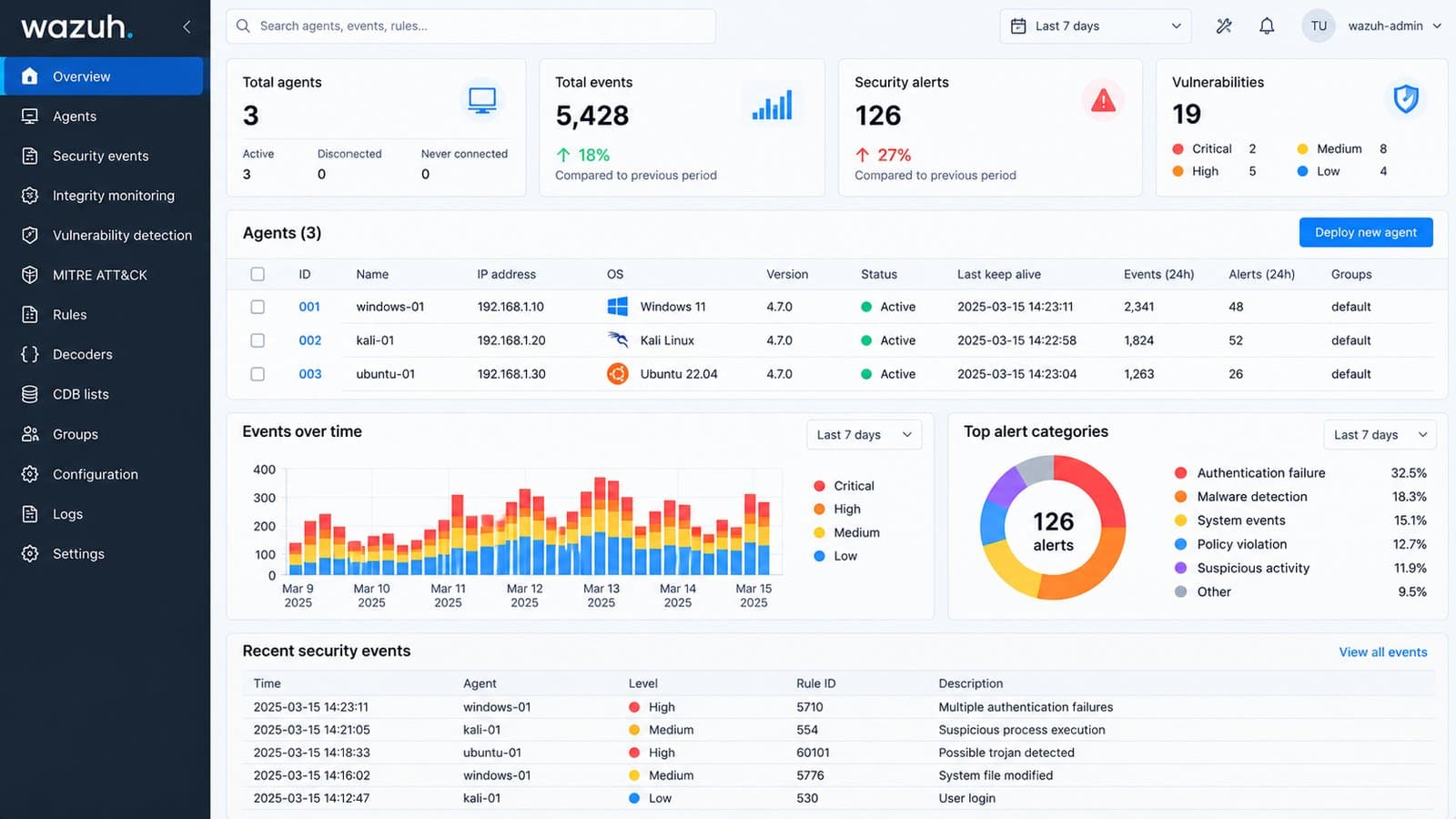
A home SOC lab: a Wazuh server on Ubuntu with agents on Windows, Ubuntu and Kali Linux, used to attack a monitored Windows host and watch the activity land in the SIEM.
- KaliKali LinuxAgent and attackerattack →
- WindowsWindows hostAgent and target
- UbuntuUbuntu hostAgent
The problem
At work I read alerts after something has happened. I wanted the other side as well: run the attacks myself and see how they show up in a SIEM I built and operate.
Architecture and implementation
- Wazuh server hosted on Ubuntu, with the Wazuh web dashboard as the SIEM view.
- Wazuh agents on three endpoints: Windows, Ubuntu and Kali Linux.
- Kali Linux used as the attacker against the Windows host, which runs an agent.
- Activity from the attacks tracked in the Wazuh dashboard.
Decisions and challenges
- Attack what you monitor
- With the attacker inside the lab, every alert has a known cause, so each one can be traced back to something I did.
Verified outcomes
- Attack activity against the Windows host was visible and trackable in the Wazuh dashboard.
What I test in the lab
Four investigations, one lab
Four detection scenarios for the lab, each with its objective, method and known limits. Lab captures will be added as I validate them.
01Brute-force authentication
Objective
Investigate repeated authentication failures against the Windows host: how often they happen, which accounts are targeted, where they come from, and whether any attempt later succeeds.
Lab environment
- Kali Linux as the source of the attempts
- Windows endpoint with a Wazuh agent collecting the Security log
- Wazuh server on Ubuntu
Detection methodology
- Collect Windows Security events through the Wazuh agent and review the alerts raised for failed logons (Event ID 4625).
- Group failures by source IP (IpAddress), target account (TargetUserName) and failure reason (SubStatus: 0xC000006A is a wrong password, 0xC0000064 an unknown user).
- Look at frequency over short windows: many failures from one source in minutes points to automation rather than a mistyped password.
- Check for a successful logon (Event ID 4624) from the same source after the failures, which would change the case from attempted to possibly successful.
- Build a timeline from first failure to last attempt or success.
Known limits
- Failures against domain accounts can surface as Kerberos events (4771) on a domain controller rather than 4625 on the endpoint.
- A slow attack spread over hours can stay under frequency-based thresholds.
02Suspicious RDP activity
Objective
Investigate Remote Desktop sign-ins and sessions on the Windows host: who connected, from where, whether attempts failed first, and how long sessions lasted.
Lab environment
- Kali Linux as the RDP client
- Windows endpoint with RDP enabled and a Wazuh agent
- Wazuh server on Ubuntu
Detection methodology
- Filter successful logons (4624) for Logon Type 10, RemoteInteractive, which marks an interactive RDP session.
- Review failed attempts (4625) from the same source before the success.
- Follow the session with 4778 (session reconnected) and 4779 (session disconnected) where they are logged.
- Add source and destination context: source IP, workstation name, target account, and whether the source is expected to use RDP at all.
Known limits
- With Network Level Authentication on, failed RDP attempts are usually logged as Logon Type 3, not 10, so filtering on type 10 alone misses them.
- Session reconnect and disconnect events depend on the audit policy and are not always present.
03PowerShell execution monitoring
Objective
Identify suspicious or unusual PowerShell on the Windows host using endpoint telemetry: what ran, what launched it, and whether it was trying to hide.
Lab environment
- Windows endpoint with a Wazuh agent
- PowerShell Script Block Logging (Event ID 4104), if enabled
- Sysmon process creation (Event ID 1), if configured
- Wazuh server on Ubuntu
Detection methodology
- Collect the PowerShell Operational and Sysmon Operational channels through the agent; Wazuh does not read them until they are added to the agent configuration.
- From Sysmon Event ID 1, review the command line, the parent process and the user for each powershell.exe launch.
- From Event ID 4104, read the script content that actually ran, after PowerShell decodes it.
- Flag patterns such as -EncodedCommand, -NoProfile with a hidden window, download-and-execute strings, and PowerShell started by Office apps or other unusual parents.
Known limits
- Script Block Logging is off by default, and PowerShell version 2 does not produce it, so a downgrade can avoid it.
- Long scripts are split across several 4104 events and have to be reassembled.
- Obfuscated commands can still need manual decoding before they make sense.
04File integrity monitoring
Objective
Show how Wazuh detects changes to selected files: what changed, when, and the before and after hashes.
Lab environment
- A monitored lab endpoint with a Wazuh agent
- Wazuh File Integrity Monitoring (syscheck) on selected paths
- Wazuh server on Ubuntu
Detection methodology
- Configure the directories to watch in the agent configuration, with real-time monitoring and hash checks enabled.
- Validate the setup with known changes to a test file: create it, modify it, then delete it.
- Confirm that each change raises a Wazuh FIM event with the path, the change type, the time, and the old and new MD5, SHA1 and SHA256 hashes.
- Compare the reported hashes with hashes taken by hand to confirm the detection is accurate.
Known limits
- Without real-time monitoring, changes are found by scheduled scans, which by default run every 12 hours.
- FIM shows what changed; showing who changed it needs who-data auditing turned on.